Download Wynko
The desktop app and the browser extension work together. Install both for the strongest Focus Lock.
Wynko for Windows
Blocks distracting apps during your focus blocks and links your browser extension automatically.
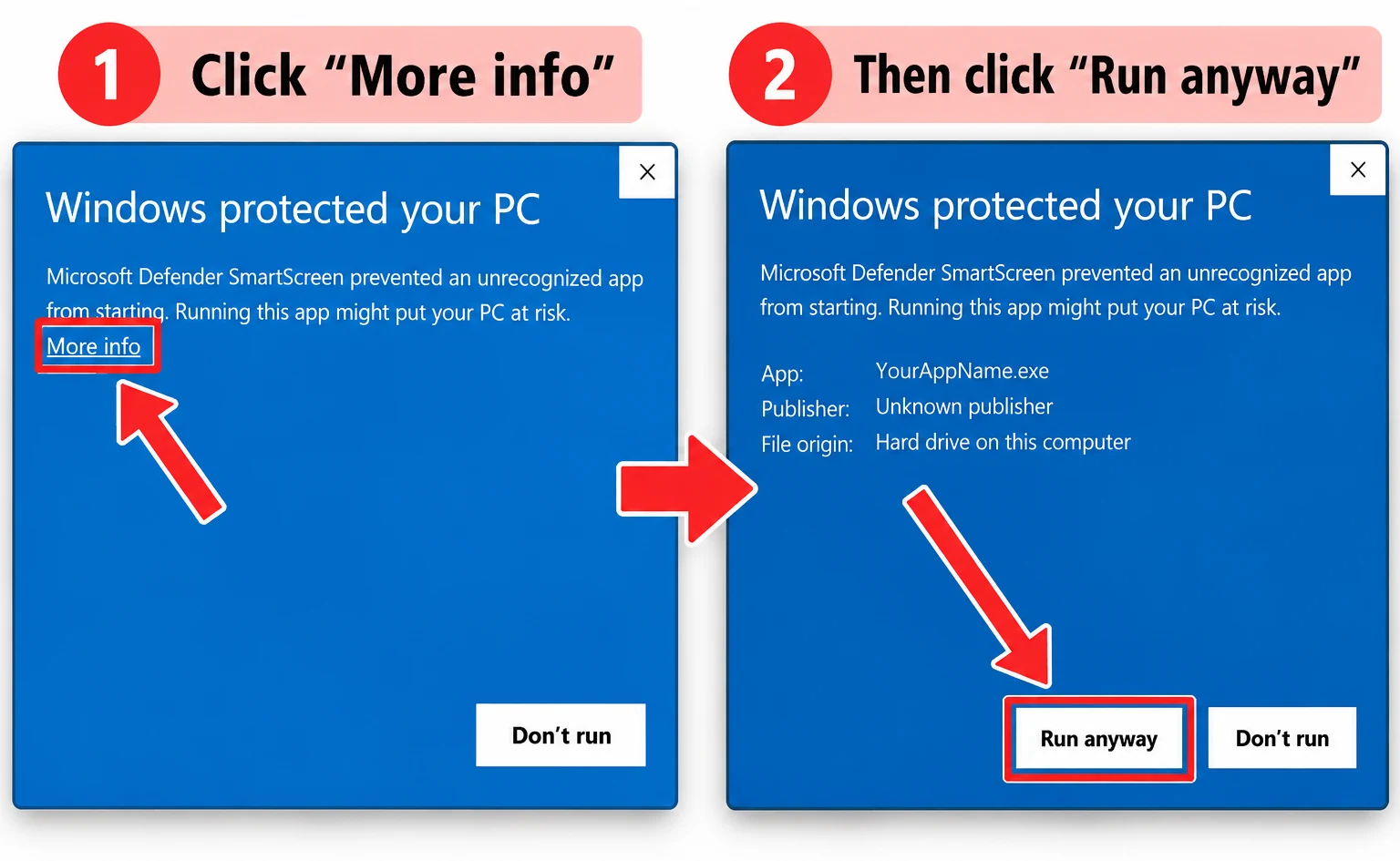
Download for Windows 64-bit Windows 10 and 11 · about 3.6 MB · Download not starting? Use the GitHub link⚠️ Windows may show “Windows protected your PC” — that’s expected
Wynko is a new app, so Windows doesn’t recognise it yet. When more people download Wynko, this warning will go away. Until then, do these two steps: click More info, then Run anyway.
 An older “revm2” install is removed for you.
Wynko Focus Lock extension
Blocks distracting sites and YouTube channels in Chrome, Edge and Brave. With the desktop app running, it links itself to your account.
Download extension- Unzip the file somewhere you’ll keep it.
- Open chrome://extensions (or edge://extensions) and turn on Developer mode.
- Click Load unpacked and pick the unzipped folder.